Have you ever been typing on a Windows PC and wished there was a faster way to add emojis without searching, copying, or opening random websites? You’re not alone.
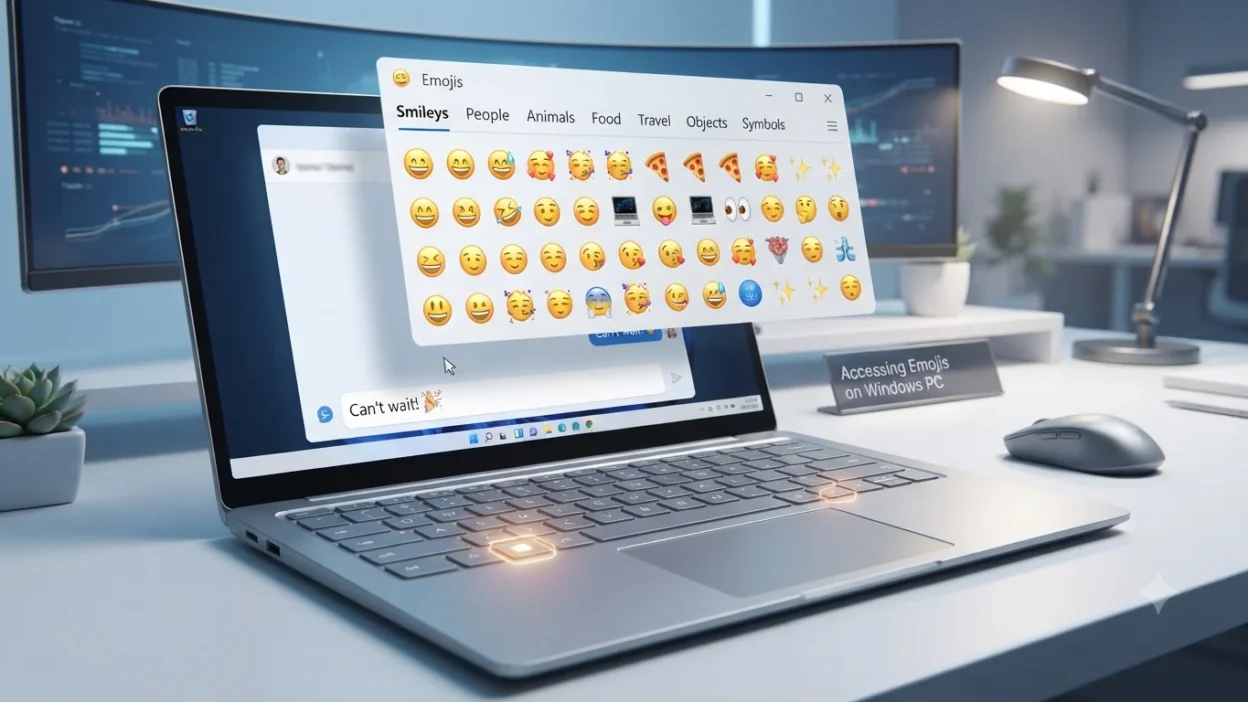
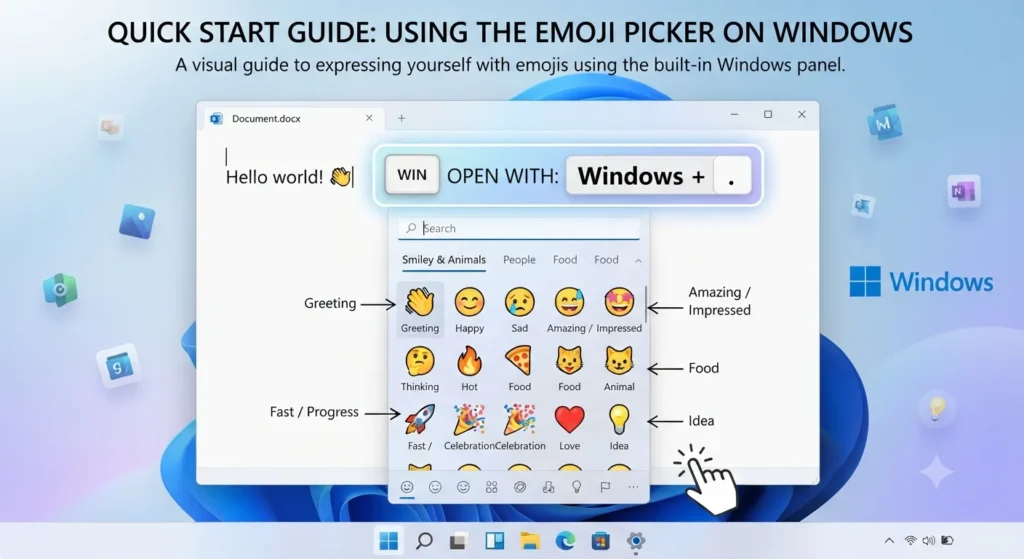
Millions of users look for the Windows emoji shortcut because adding the perfect emoji should take seconds, not extra effort. In short, the fastest way to open the built-in Windows emoji picker is by pressing Windows Key + . (Period) or Windows Key + ; (Semicolon), allowing you to instantly insert emojis, GIFs, kaomoji, and symbols anywhere you type.
Whether you’re creating social media posts, emails, documents, messages, captions, or online content, this hidden Windows feature makes digital communication quicker and more expressive. This guide explains the Windows emoji shortcut, how to use the emoji keyboard, Windows 10 and Windows 11 methods, useful tips, common problems, and exactly how to master emoji typing on your PC in seconds.
What do Windows emoji shortcut mean?
The Windows emoji shortcut refers to the keyboard combination Windows key + . (period) or Windows key + ; (semicolon) that opens the built-in emoji panel on Windows devices.
Unlike emoji meanings themselves, this shortcut is a tool that helps users quickly access emojis while typing. It works across many apps, making it useful for personal chats, social media posts, and everyday communication.
Here are some commonly used emojis you can access through the Windows emoji panel:
| Emoji | Core meaning | Misread as | Best used when |
|---|---|---|---|
| 😊 | Happiness and friendliness | Fake politeness | Friendly conversations |
| ❤️ | Love and deep affection | Romantic only | Emotional messages |
| 😂 | Strong laughter | Not taking things seriously | Funny moments |
| 👍 | Agreement and approval | Cold response | Quick confirmation |
| 🔥 | Excitement and popularity | Anger or danger | Trending content |
| ✨ | Beauty and positivity | Just decoration | Highlighting special moments |
😊 Smiling Face
Meaning: Happiness, kindness, and a warm friendly feeling.
Example 1: Hope you have a great day 😊
Example 2: Thanks for helping me 😊
❤️ Red Heart
Meaning: Deep love, affection, and emotional connection.
Example 1: I miss you ❤️
Example 2: You are amazing ❤️
😂 Face With Tears of Joy
Meaning: Extreme laughter and finding something very funny.
Example 1: That joke was hilarious 😂
Example 2: I cannot stop laughing 😂
👍 Thumbs Up
Meaning: Approval, agreement, or a positive response.
Example 1: Sounds good 👍
Example 2: Great job today 👍
🔥 Fire
Meaning: Something exciting, impressive, or highly appealing.
Example 1: Your new profile picture is amazing 🔥
Example 2: This trend is everywhere 🔥
✨ Sparkles
Meaning: Beauty, positivity, celebration, or making something stand out.
Example 1: New beginnings ✨
Example 2: Your style is beautiful ✨
😍 Smiling Face With Heart Eyes
Meaning: Strong admiration, love, or excitement.
Example 1: This photo is amazing 😍
Example 2: I love this idea 😍
🥰 Smiling Face With Hearts
Meaning: Warm affection, care, and a sweet emotional feeling.
Example 1: Feeling grateful today 🥰
Example 2: You made my day 🥰
😉 Winking Face
Meaning: Playfulness, humor, or a friendly hidden message.
Example 1: You know what I mean 😉
Example 2: That was a clever move 😉
🎉 Party Popper
Meaning: Celebration, excitement, and happy occasions.
Example 1: Congratulations on your success 🎉
Example 2: Let’s celebrate today 🎉
How to use Windows emoji shortcut the right way
The Windows emoji shortcut makes digital conversations more expressive by helping you add emojis instantly while typing. Press Windows key + . (period) or Windows key + ; (semicolon) to open the emoji panel, then select the emoji you want.
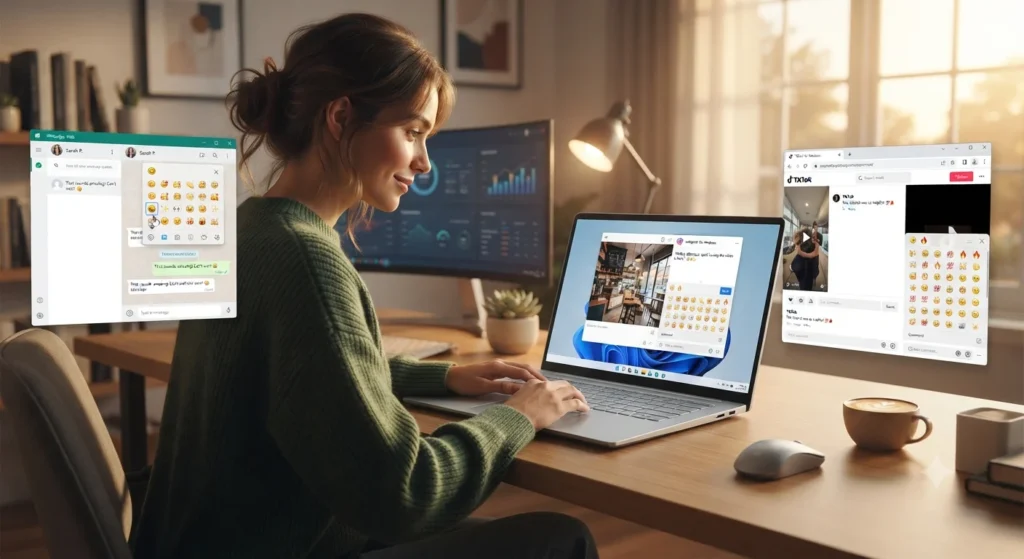
On WhatsApp, emojis are often used to make personal chats feel warmer and more emotional. Adding 😊 after a friendly message or ❤️ in a close conversation can make your words feel more personal.
On Instagram, emojis help create attractive captions, comments, and bios. Creators often use ✨, 🔥, and 🎉 to highlight important moments, achievements, or eye-catching content.
On TikTok, emojis are commonly used for humor, reactions, trends, and playful expressions. Users may add 😂 for funny moments or 😉 to create a teasing and creative tone.
Simple dos and don’ts:
✅ Use emojis to support your message, not replace every word.
✅ Match the emoji style with the situation and relationship.
✅ Use expressive emojis when you want your tone to feel clearer.
❌ Avoid using too many emojis in professional conversations.
❌ Do not assume every emoji has the same meaning for everyone.
❌ Avoid sending emotional emojis without considering the context.
Biting Lip Emoji: The 🫦 That Speaks Without Words
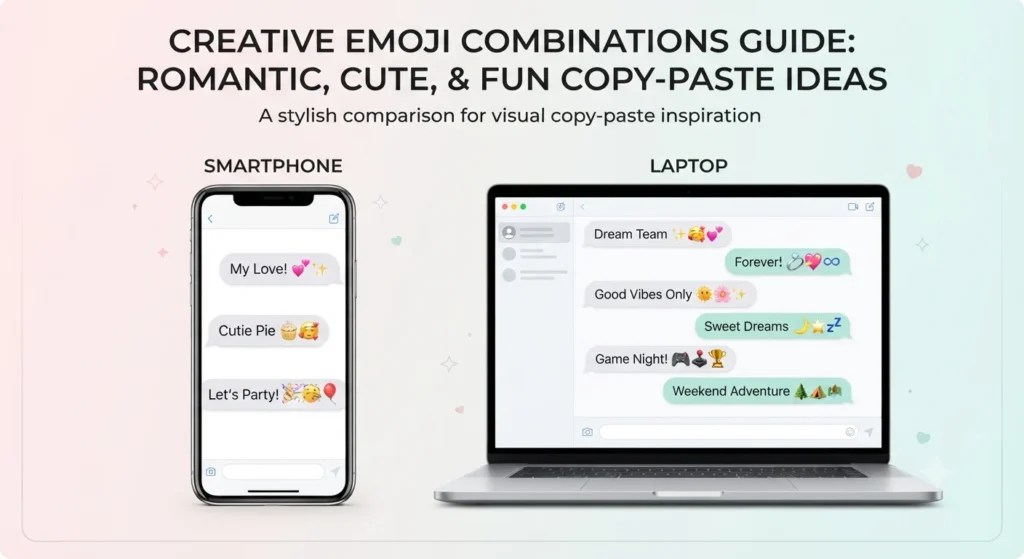
Best Windows emoji shortcut combos — copy & paste
Romantic
👉 ❤️✨ — A sweet way to show love and appreciation.
👉 😍❤️ — Perfect for expressing admiration for someone special.
👉 🥰❤️ — Used for warm and caring messages.
Cute
👉 😊✨ — A simple combination for a cheerful mood.
👉 🥰✨ — Great for sharing kindness and positivity.
👉 😉😊 — Adds a playful and friendly feeling.
Flirty
👉 😉❤️ — A playful romantic message.
👉 😍✨ — Shows excitement and admiration.
👉 😉😍 — Used for a fun and teasing vibe.
Missing someone
👉 ❤️🥰 — Shows emotional connection and care.
👉 😊❤️ — A gentle way to say you are thinking of someone.
👉 😍❤️✨ — Adds extra warmth to a heartfelt message.
Good night
👉 😊✨ — A peaceful and positive goodbye.
👉 🥰❤️ — A caring bedtime message.
👉 ✨❤️ — A simple affectionate ending.
Trending Windows emoji shortcut emojis in 2026
Emojis continue changing with online communication styles. Through the Windows emoji panel, users commonly choose expressive emojis that quickly show emotions, reactions, and personality in digital conversations.
😊 remains popular because it works across many situations, from friendly messages to casual replies. It is widely used by everyday users on messaging apps and social platforms.
✨ is frequently seen in aesthetic captions, creative posts, and messages where people want to highlight something special. Content creators often use it to make text look more visually appealing.
🔥 continues to appear in conversations about impressive ideas, exciting moments, and trending content. It is commonly used on platforms where users react quickly to videos, posts, and achievements.
😂 is still a common choice for humorous conversations because it instantly communicates laughter and amusement. It appears regularly in casual chats and entertainment-focused content.
| Emoji | Why trending | Who uses it | Platform |
|---|---|---|---|
| 😊 | Friendly and positive expression | Everyday users | WhatsApp, Instagram, TikTok |
| ✨ | Adds an aesthetic and special touch | Creators and social users | Instagram, WhatsApp |
| 🔥 | Shows excitement and popularity | Trend followers and creators | TikTok, Instagram |
| 😂 | Expresses humor and reactions | Casual online communities | WhatsApp, TikTok |
Emoji styles continue to evolve as people find new creative ways to combine visual expressions with everyday digital communication.
What Does a Purple Heart Emoji Mean 💜? The Real Meaning
Frequently Asked Questions
1. What is the most popular Windows emoji shortcut emoji?
😊 and 😂 are among the most commonly used emojis because they fit many casual conversations. Their meanings are usually easy to understand across different platforms.
2. What does 😊 mean from a girl or boy?
😊 usually shows friendliness, happiness, or a warm attitude. The exact meaning depends on the conversation, relationship, and overall message tone.
3. Why do emojis look different on iPhone vs Android?
Emojis can appear different because Apple, Google, Microsoft, and other companies design their own emoji styles. The basic meaning usually stays the same.
4. Are Windows emoji shortcut emojis used differently in other countries?
Yes, cultural differences can affect emoji interpretation. Some emojis may express different levels of emotion depending on local communication habits.
Conclusion
The Windows emoji shortcut makes adding emotions to digital conversations quick and convenient.
With a simple keyboard combination, users can make messages, captions, and comments feel more expressive.
Choosing the right emoji at the right moment helps create clearer and more engaging online communication.

Nora Ellison is a digital language writer specializing in emoji meanings, internet slang, symbols, and online communication, creating clear, accurate, and reader-friendly content.